 HexaPDF
class HexaPDF::
| Parent | HexaPDF::Layout::Box |
|---|
A TextBox is used for drawing text, either inside a rectangular box or by flowing it around objects of a Frame.
The standard usage is through the helper methods Document::Layout#text and Document::Layout#formatted_text.
This class uses TextLayouter behind the scenes to do the hard work.
Used Box Properties¶ ↑
The spacing after the last line can be controlled via the style property last_line_gap. Also see TextLayouter#style for other style properties taken into account.
Limitations¶ ↑
When setting the style property ‘position’ to :flow, padding and border to the left and right as well as a predefined fixed width are not respected and the result will look wrong.
Examples¶ ↑
Showing some text:
composer.box(:text, items: layout.text_fragments("This is some text."))
# Or easier with the provided convenience method
composer.text("This is also some text")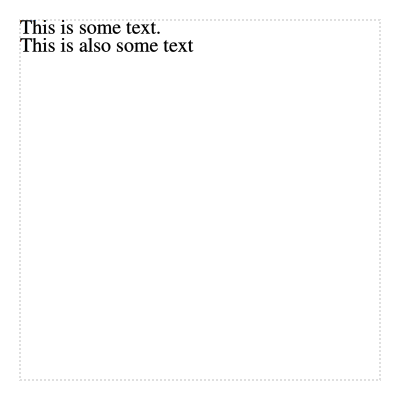
It is possible to flow the text around other objects by using the style property ‘position’ with the value :flow:
composer.box(:base, width: 30, height: 30,
             style: {margin: 5, position: :float, background_color: "hp-blue-light"})
composer.text("This is some text. " * 20, position: :flow)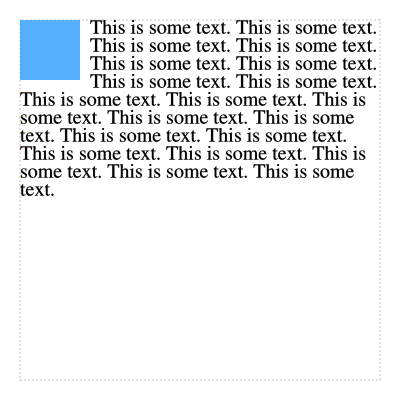
While top and bottom padding and border can be used with flow positioning, left and right padding and border are not supported and the result will look wrong:
composer.box(:base, width: 30, height: 30,
             style: {margin: 5, position: :float, background_color: "hp-blue-light"})
composer.text("This is some text. " * 20, padding: 10, position: :flow,
              text_align: :justify)
Public Class Methods
Creates a new TextBox object with the given inline items (e.g. TextFragment and InlineBox objects).
HexaPDF::Layout::Box::new
Public Instance Methods
Returns true as the ‘position’ style property value :flow is supported.
Returns the text that will be drawn.
This will ignore any inline boxes or kerning values.